Why This Step Can't Wait
Picture this: you just closed $6,000 in sales through your PayPal business account, then realize your bank isn't linked. That money is stuck — you can't move it anywhere until verification is complete. Linking and verifying your business bank account solves that, and delivers real benefits beyond just avoiding frustration.
- Faster access to funds — move money straight to your bank instead of waiting on checks
- Lower fees — bank withdrawals cost less than card-based withdrawals
- Stronger security and fraud protection on your PayPal profile
- Business credibility — a verified account signals legitimacy to PayPal, suppliers, and customers
- Access to features like automatic withdrawals and payment schedules, which require a linked bank
- Compliance with PayPal's anti-fraud and financial policies, reducing the risk of account limitations
Before You Start: What You'll Need
- A PayPal Business account (not personal)
- Bank account details — bank name, account number, routing number for US accounts, and account type
- Access to your bank statement, since PayPal sends two small deposits you'll need to confirm
- The exact same name on both your bank account and PayPal business profile
- A stable internet connection for the full process
- If PayPal isn't supported in your country: a consistent, reliable IP address from a supported country — avoid public VPNs or frequently changing IPs, which can trigger security flags
The 5-Step Verification Process
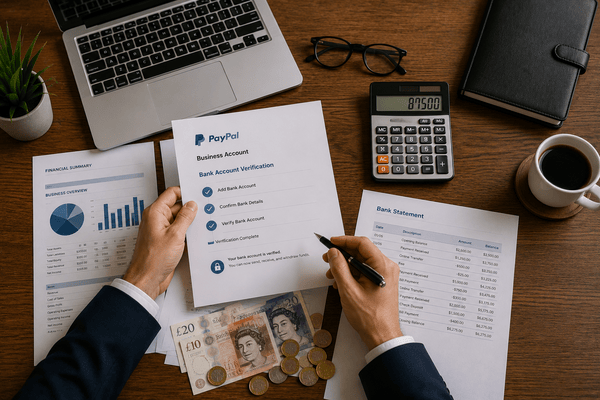
- Log in to your PayPal Business account with your username and password
- Go to Finance, then Wallet, then "Link a bank account" under Bank Accounts and Cards
- Select your country and currency, then enter your bank name, account type, account number, and routing number — double-check everything before submitting
- Wait for PayPal to send two small deposits (usually a few cents) to your bank account, typically within 1–2 business days
- Return to the Wallet section, click "Confirm Bank Account," enter the two deposit amounts exactly as shown on your statement, and click Confirm
Once confirmed, your account is fully linked and ready for transactions, withdrawals, and everyday payment management.
Fixing the Most Common Problems
| Issue | Likely Cause | Fix |
|---|---|---|
| Bank not accepted | Unsupported, virtual, or prepaid bank account | Use a traditional checking/savings account from a supported bank, or contact PayPal support |
| Incorrect details entered | Typos in account or routing number | Delete and re-add the bank account with verified details |
| Deposit verification failed | Processing delay or wrong amounts entered | Wait 48 hours, check your statement carefully, then retry |
| Name mismatch | Personal name on bank vs. business name on PayPal | Ensure both accounts use the identical legal business name |
| Too many linked accounts | Old, unused accounts still linked | Remove inactive accounts before adding a new one |
| Verification link expired | Deposit amounts not entered in time | Remove the account, re-add it, and confirm promptly once new deposits appear |
| Account limitations | Suspicious activity or pending ID verification | Check the Resolution Center and complete any pending identity requests |
Technical glitches — frozen pages or error messages — are usually browser-related. Clear your cache, try a different browser or incognito mode, or switch to the PayPal mobile app.
Frequently Asked Questions
Can I link multiple bank accounts? Yes, but only one can be your primary withdrawal account. How long does verification take? PayPal typically deposits the two small verification amounts within 1–2 business days. Can I withdraw via card instead? Yes, but card withdrawals carry higher conversion fees than bank withdrawals. What if I don't have a bank account in my PayPal account's country? Partner with a service like Cloudtech, which helps non-residents set up a compliant US business bank account to link with PayPal.
The Bottom Line
Verifying your business bank account with PayPal is one of the highest-leverage steps you can take for smoother cash flow, lower fees, and stronger credibility. If you're not based in a PayPal-supported country and need help setting up a US bank account or business entity to make this work, Cloudtech can simplify the entire process — so payment delays stop being your problem.